How to exit Standby mode in the app and on the thermostat
If Standby mode is enabled and you want to deactivate it, there are two ways to do it:
1. On the thermostat:
- Press and hold the power (“OK”) button for about 5 seconds.
- This toggles Standby mode on or off (works both ways).
2. In the SALUS Premium Lite app:
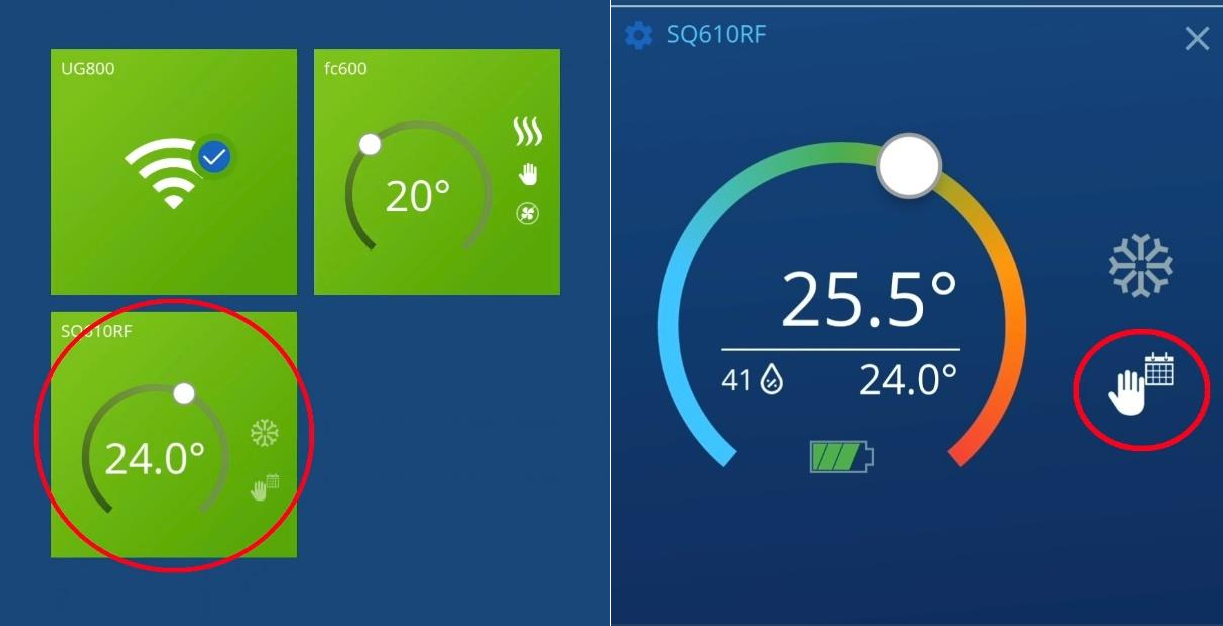
- From the main screen, select the tile of the device.
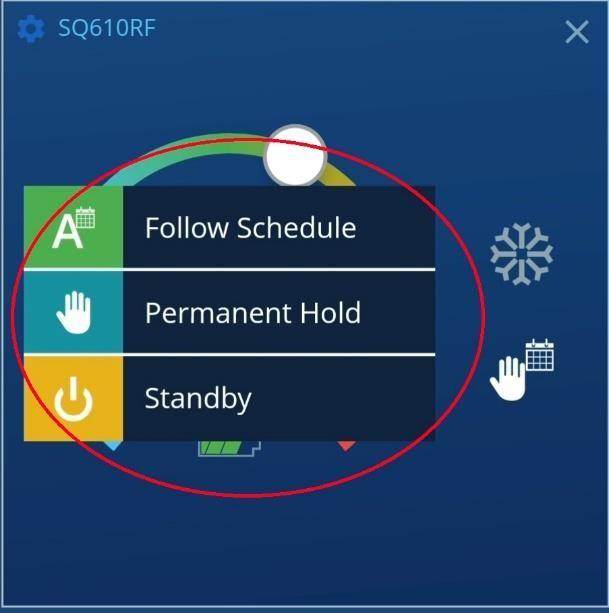
- On the right side, you’ll see the current operating mode: Standby, Manual, or Schedule.
- Tap and choose the desired mode to exit Standby.
- Switching in and out of Standby works the same way.